
The Product Launch Event Playbook: Stage, Demo Floor, and the Media Credentialing Process
Product launches need a press credentialing system, a separate media holding area, a supervised demo floor, and a webcast layer that doesn't degrade the in-room experience. Most product launch events get the demo floor wrong and the media flow wrong. This playbook covers the venue brief, run-of-show structure, and the logistics that determine whether your launch lands the day it happens.

A product launch event has a 4-hour window to produce content that lives forever. The keynote recording, the media photos, the demo floor footage, the social posts from attendees while they’re in the room. In 2019 I was on the production side of a launch event for a B2B analytics platform. The keynote was excellent. The stage design was sharp. The demo floor was a disaster: 8 product stations, 2 working demos, and a Wi-Fi situation that turned every live demonstration into an apology. The product was good. The event didn’t reflect that. The coverage was thin.
The venue and production brief for a product launch is different from every other corporate event type because the event is a media production as much as it is a gathering. The people in the room are partly audience and partly props for the webcast and social record.
The event’s two simultaneous audiences
Product launch events serve two audiences at the same time:
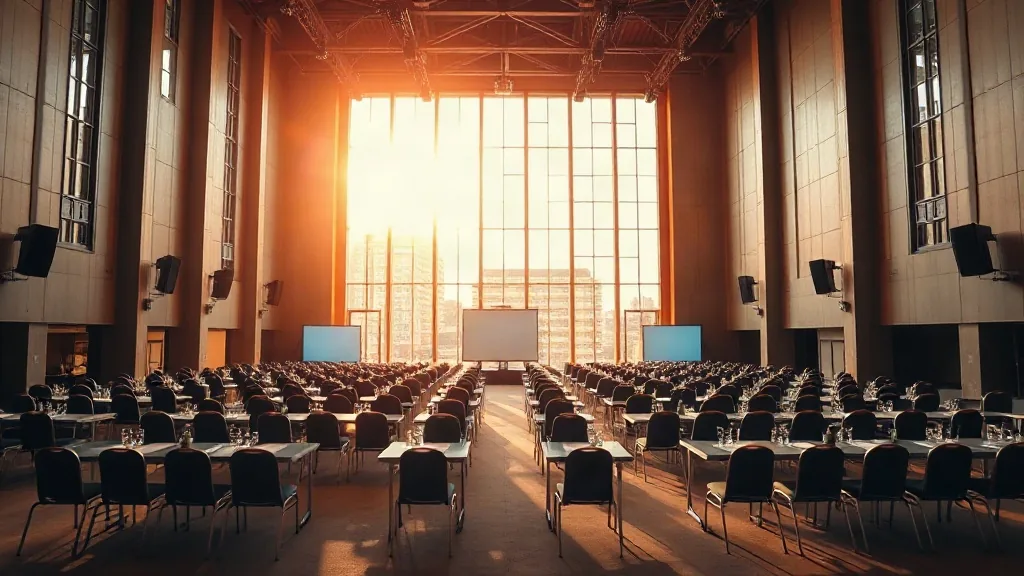
In-room audience: Customers, prospects, press, analysts, partners, and employees. They experience the event physically: the keynote staging, the demo floor, the networking. Their live energy drives the room atmosphere and, for a well-designed event, drives the webcast energy too.
Remote audience: Everyone watching the livestream, following the live blog, or catching the recording within 24 hours of the event. For most B2B product launches, the remote audience is 5-20x the size of the in-room audience. The content they receive is entirely mediated by your production choices.
The production brief for a launch event must explicitly address both audiences. Most do not. They build an in-room experience and treat the webcast as an afterthought.
The venue brief
For a product launch with 200-400 in-room attendees:
Stage and general session room: Theaters and performing arts centers are frequently the best choice for product launches in the 200-600 attendee range. Fixed raked seating gives every attendee a clear sightline. The production infrastructure (fly points, large-format screens, professional PA) is built in. The theatrical quality of the space signals that the launch is a production, not a meeting.
The stage itself should be custom-built even in a theater. A 40-foot wide stage with a 12-foot deep presenter area, 2 side screens flanking the main screen (a 20-foot minimum center screen for a 400-person room), and a practical presenter confidence monitor at stage left. The presenter should never need to turn their back to the audience to see their slides.
Demo floor: The demo floor requires its own dedicated space, separate from the general session room. A pre-function lobby, a converted industrial space (see lofts and industrial venues), or a dedicated exhibit hall. The demo floor should be open before the keynote (for media who arrive early), during the break after the keynote, and for 90 minutes post-event.
Each demo station needs: a dedicated display (minimum 32-inch monitor or 65-inch if the station is designed for group viewing), a dedicated wired internet connection (not Wi-Fi — every demo station runs on a hardwired ethernet drop from the venue’s switch, not a shared Wi-Fi network), power access at the station with cable management, and a fixed backdrop that photographs well and reads as brand-consistent.
Media holding area: A separate room, adjacent to the main entrance, for credentialed press and analysts. The media holding area should have a green room setup: comfortable seating, good light, phone charging, water, and enough space for 10-20 media attendees to set up laptops and prepare their coverage before the event starts.
The holding area also serves as the pre-briefing room for media embargo situations. If you’re sharing pre-announcement information with journalists under embargo before the keynote, the briefing happens in the holding area, documented by your PR team with signed embargo agreements.
Separate media entry. Press and analyst attendees should have a separate registration lane and entrance from general attendees. This is not elitism. It’s functional: media have equipment (camera bags, laptops, tripods), they arrive at different times than customers, and they need to access the holding area without mixing with the general attendee flow.
The media credentialing process
Media credentialing for a product launch has three phases:
Pre-event application (3-4 weeks out): Media apply for credentials through your PR team or via a registration link that routes to PR review. Applications require outlet name, reporter name, email, and a brief description of the coverage planned. Your PR team approves or declines within 48 hours. Do not have the event production team manage this; it belongs with comms.
Credential pickup (day of, at media holding area): Approved press receive a different badge than general attendees. The badge should be visually distinct (different color, different credential notation). It should indicate media-specific permissions: photography clearance, access to post-keynote press Q&A, demo floor priority access.
Post-keynote press Q&A: A 20-minute press availability session immediately after the keynote, in the media holding area, with the keynote presenter and CPO. Not the full general session Q&A. A dedicated press session. This is the slot where journalists ask the questions that didn’t fit the keynote format and get the quote they’ll use in their article. If you cancel this session, every journalist in the room knows their editor expects that content and won’t have it.
The webcast layer
For the webcast audience, the production additions required:
Dedicated camera system: A minimum of 2 cameras (wide stage shot and presenter close-up), operated or on robotically controlled mounts, with a live production switcher. The switcher operator manages the cut between cameras and the transitions to slides. This is not a job for a single-operator point-and-shoot setup; a production company handles it.
Separate audio mix for webcast: The in-room audio is mixed for the room acoustics. The webcast audio is mixed for earbuds and laptop speakers. These are different mixes. A dual-output audio setup (one mix to the PA, one mix to the webcast encoder) produces better remote audio than a single in-room feed.
Live slide relay: The webcast should show the actual presentation slides, not just the camera feed of the presenter. This requires a screen capture relay from the presenter’s laptop to the webcast encoder. Most webcast platforms support this as a second video input. Set it up, test it, and confirm it works before the keynote.
Remote Q&A moderator: The same role described in the all-hands playbook applies here. A person monitoring the webcast chat and feeding remote questions to the in-room MC. Without this role, remote attendees have a passive experience; with it, they have a participatory one.
The run-of-show template
T-minus 3 hours: All production cabled and tested. Stage lighting locked. All demo stations live and tested on wired connections. Media holding area open.
T-minus 2 hours: Media pre-briefings (if applicable). Presenter rehearsal with teleprompter (if used).
T-minus 1 hour: Venue opens to general attendees. Demo floor open. Welcome music playing. Webcast stream live with a holding screen (“Live in 60 minutes”).
T-zero (keynote): 45-75 minutes, depending on product scope. One presenter or two. No panels. No more than 3 customer video testimonials (each under 90 seconds). End with a clear call to action for in-room and webcast audiences: where to go next, what to do with what they just heard.
Post-keynote break (20 minutes): Demo floor fully open, staffed, wired. Webcast continues with a “demo floor is live” segment showing product in action.
Press Q&A (20 minutes): Media holding area, as described above.
Evening (optional): Customer and prospect reception. Smaller, more intimate. No product content. Relationship time.
What’s the in-room headcount, press count, and whether you’re webcasting live? Those inputs drive the camera and production scope.


