
The Hybrid Format That Actually Worked: What Was Different About It
Most hybrid events fail not because of technology but because of design: remote attendees get a passive viewing experience while the in-room audience gets the actual event. This post describes the three format changes I made to a 280-person conference that produced equivalent satisfaction scores across both audiences for the first time. Two of the changes cost nothing.

I’ve been doing hybrid events since 2020, which means I have seen approximately 40 formats that didn’t work and three that did. The ones that failed had a common pattern: the in-room audience was the primary experience and the remote audience was an afterthought who got a livestream. The ones that worked treated both audiences as distinct primary audiences with different needs and different interaction opportunities.
This is the specific format from a 2023 technology user conference in San Jose, 280 people in a California conference center and 190 remote. It was the first event where post-event survey scores for remote attendees (4.1 out of 5) were within 0.3 points of in-room scores (4.4). Before this format, the gap had been 1.2-1.8 points across comparable events.
Here are the three changes and why they worked.
Change 1: A separate remote MC (costs $1,200-2,500)
Every hybrid event I’d run before this one had the remote audience watching the same stage as the in-room audience. The conference MC addressed the room, the cameras caught it, and the remote viewer watched through a camera. The remote viewer was a spectator at someone else’s event.
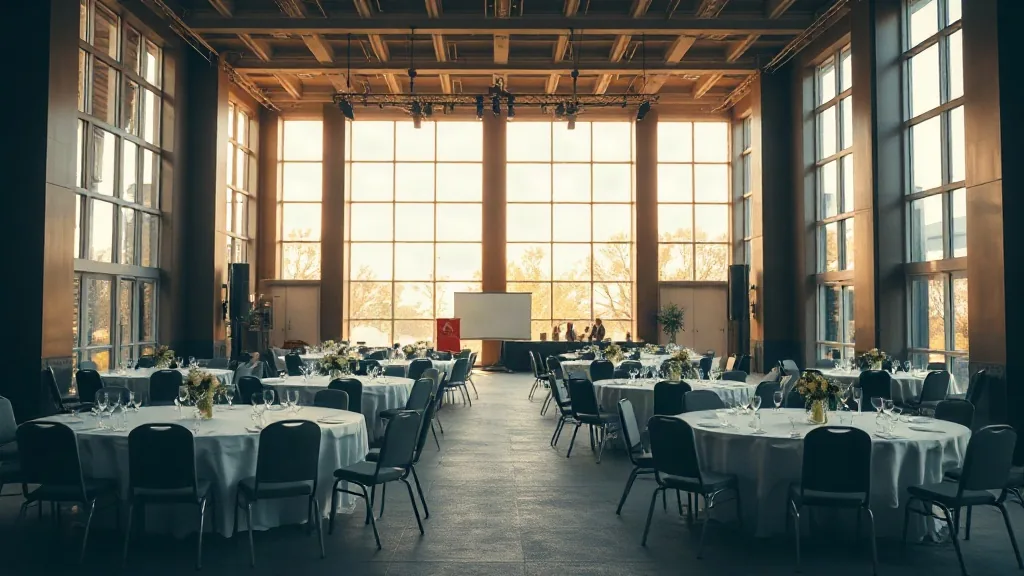
For this conference, I hired a second MC whose sole job was to host the remote audience. She was in a separate small set built behind the main stage, not visible to the in-room audience, with two cameras, a monitor showing her the stage feed, and a direct audio connection to the main session. She introduced sessions to the remote audience, provided transitions during AV changes, and ran the remote Q&A queue.
The remote audience saw a show hosted for them, not a livestream of a show hosted for someone else. This is the most expensive change: a good remote MC with event experience runs $1,200-2,500 for a day. It is also the most impactful change.
Change 2: 20% of the agenda reserved for remote-only interaction (costs $0)
The standard hybrid format gives remote attendees the same content as in-room attendees. They watch the same sessions, see the same slides, hear the same Q&A. The problem is that the in-room audience has social experiences the remote audience can’t access: hallway conversations, lunch networking, the side discussions that happen during breaks. Remote attendees end up with less total value even if the session content is identical.
I reserved three 20-minute blocks during the day for remote-only programming. The in-room audience had structured break activities during these blocks: a sponsor showcase, a working session, and a product demo station. The remote audience got a dedicated small-group discussion in breakout rooms of 8-10 people, facilitated by a moderator who rotated questions drawn from pre-submitted attendee input.
The remote audience had three interactions that the in-room audience did not. Not better, not worse, but exclusive to them. This matters psychologically: remote attendees who feel they’re getting a secondary experience disengage. Remote attendees who feel they’re getting something the in-room audience didn’t get pay closer attention to the rest of the event.
The facilitation cost was a $300 hourly rate for two moderators across three 20-minute sessions. Roughly $400 total.
Change 3: A pre-event tech check for all remote attendees (costs $400-800 in staff time)
Every hybrid event I’d run before had remote attendees discover their audio or video problems 5 minutes before the event started. This is the most predictable problem in all of hybrid event production and the one most consistently ignored. The solution is not better technology; it’s a scheduled 15-minute check-in for every registered remote attendee in the 24 hours before the event.
For 190 remote attendees, I used a Calendly link with 5 slots per 15-minute block across a 4-hour window the afternoon before. About 140 of the 190 registered for a slot. The check verified: audio output, microphone input, screen share capability, and platform login. 23 of the 140 had at least one issue during the check that required troubleshooting. All 23 resolved it before event day.
On the day of the event, first-session remote connection problems were zero. In prior events with no pre-check, first-session connection problems ran 15-25% of the remote audience in the first 30 minutes.
The time cost: 4 hours of a tech coordinator at $50/hour = $200 for the check sessions. The staff time for troubleshooting the 23 issues ran about 2.5 hours additional. Total roughly $450 in staff time for a problem that used to eat the first 30 minutes of the event.
What didn’t matter as much as I thought
Camera count is a common focus in hybrid AV discussions. More cameras give the remote audience more angles. For this event, I had a 4-camera setup: front wide, presenter close, room coverage, and the remote set. In prior events with 2 cameras, the remote satisfaction scores were not consistently lower than with 4. The camera count matters less than who’s hosting what the camera captures.
Platform quality matters at a threshold. Once you’re above the threshold (basic latency under 3 seconds, 1080p minimum, reliable audio), higher quality doesn’t produce higher satisfaction. I’ve had remote audiences rate events similarly on Zoom Webinars and on purpose-built event platforms at 3x the cost. The hosting and design matter more than the platform above a baseline quality level.
The venue infrastructure question
Not all conference centers are hybrid-capable. The specific infrastructure requirements that actually matter: a dedicated internet circuit for production (not shared with attendee Wi-Fi), at least two stage power drops for additional production equipment, and a clear cable path from the set to the main AV position. Rigging points above the stage are useful but not required if you’re not flying screens.
Theaters and performing arts venues are good for hybrid when they have a broadcast booth, which many do, and when the sight lines from the stage to the remote set are clear. Fixed raked seating in a theater makes the remote production cleaner because the in-room camera positions are predictable.
The format that worked in San Jose has since run at three other events with variation. The remote MC is the change I’d implement first if I could only make one. If you’re planning a hybrid event and trying to decide which format changes are worth the investment, share your headcount split and venue type and I’ll give you a specific recommendation.


