Choosing an event app your attendees will actually open
A wasted $18,000 app taught a conference organizer that matching tools to phone habits beats feature lists.
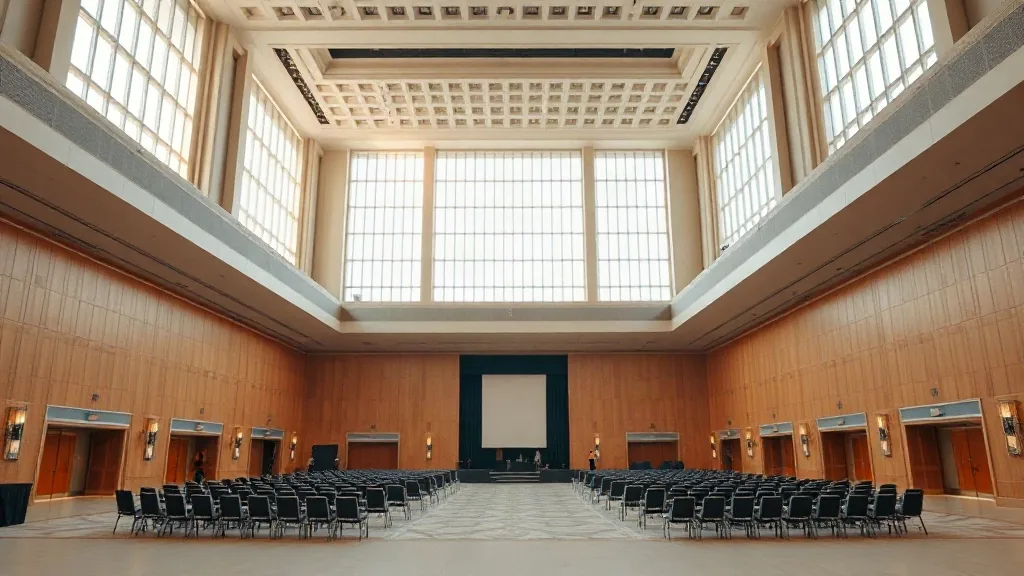
I sat in the back of a policy forum in a Dupont Circle hotel ballroom last spring and watched 240 attendees ignore the conference app we’d spent $18,000 building. The session was on digital inclusion, and the irony wasn’t lost on me. People were pulling up their email and texting each other instead of using the tool we’d pushed for six weeks. The app had every feature we asked for. It just had no reason to exist in anyone’s hands.
Match the app to your attendees’ phone habits
I used to build a requirements document with twenty columns and forty features. That approach leads you to buy a platform that can do everything and is therefore good at nothing for your group. Now I write a one-page brief that names three jobs the app must do, and I rank them. For a two-day association conference with 400 people and six breakout tracks, the single most important job is the personal agenda builder. People will open the app twice a day just to figure out where they’re going next. That one habit drives every other engagement metric.
For a single-day policy summit with 150 attendees and one track, the agenda is less important because everyone is in the same room. The critical job there is networking, specifically the ability to see who else is in the room and request an intro before the lunch break. I’ve seen adoption rates for the same platform swing from 30 percent to 80 percent purely by changing which feature we promoted as the headline.
The second reason apps die is the friction of the download itself. I ask every vendor for their attendance rate on the native app versus the web-based version. Most of my clients now choose a progressive web app, which runs in the browser and requires no install at all. The tradeoff is that you lose offline access and some native push notifications, so if your venue has poor cellular coverage, like the basement meeting rooms at some older conference centers, you need the native app. I always check the venue’s wifi spec before I make that call, and I’ve walked away from a perfectly good app because the venue’s provider caps concurrent devices. Talk to the venue IT team early, and ask them to run a load test on the day of your site visit, not the day of the event.
Push alerts, privacy rules, and the limits of engagement gimmicks
Everyone selling an app claims their push notifications drive a 60 percent open rate. I don’t trust those numbers because they come from the vendor’s best case, which is a consumer event with a celebrity headliner. For policy and association work, push alerts are a double-edged sword. Send too many and your attendees disable notifications entirely, which is a death sentence. I cap push alerts at five per day across the whole event, and I let attendees choose their alert categories during onboarding. That single choice, made in the first thirty seconds, does more for retention than any gamification feature I have tested.
Those gamification features are where I draw the line. Leaderboards, badges, and point-scavenger hunts work for sales kickoffs and large tech conferences. They feel childish to a room of government affairs directors, and the data you collect from them is often not worth the risk. This is the regulatory part where I have to be honest about my own limits. Most of my pharma and medical device clients cap dinner per attendee between $75 and $125 a head, and their compliance teams review what data the app collects about who attended which session and who spoke to whom. The rules about tracking physician attendance and meal values fall under the Physician Payments Sunshine Act, which is about transparency in reporting transfers of value, and the exact reporting thresholds and deadlines move. Confirm the specifics of your data collection and reporting obligations with your own compliance or legal team before you sign anything, because the numbers change and they vary by firm, and the vendor’s standard data retention policy is almost never aligned with what your client’s lawyers will accept.
Networking features only work when the agenda gives people time
I build a thirty-minute networking window into the morning agenda and a longer one before the evening reception, and I tell the attendees this is why the schedule has gaps. The app’s matchmaking feature, which suggests connections based on attendee-provided keywords, works better when you seed it with speaker bios and session topics rather than job titles. People connect around an idea, not a director-level title.
The messaging function is the hardest to get right. Attendees want to message each other without exchanging business cards, but they hate being spammed. I set the default privacy setting to “connections only” so that only people who have mutually indicated interest can send a direct message. During a recent 300-person conference in a crowded venue, I watched that single setting reduce complaint emails to zero while matching the level of connection requests I saw on LinkedIn after the event. The in-app messaging becomes a warm introduction tool, not a spam channel.
There is also the question of whether you let attendees export contact lists. I always turn that export on for attendees, because they’ll find a way to do it anyway, and trying to block it makes you look like you don’t trust your own audience. The tradeoff is that you lose some control over their data, but the goodwill is worth more than that illusion.
Measure meaningful actions, not logins
Attendance is a vanity metric until you define what “using the app” means. I count daily active use as anyone who opens the app and performs one meaningful action, like checking the agenda, sending a message, or accessing a document. A passive login that goes straight to a locked screen does not count. My benchmark for a healthy event is that at least 60 percent of attendees perform a meaningful action each day. I’ve seen great events hit 75 percent and weak ones stick at 35 percent. The gap is almost always caused by the friction of the download or the emptiness of the networking features.
Beyond the raw usage data, I run a mid-event pulse poll through the app on the afternoon of day one. Two questions only: “Is the session content meeting your expectations?” and “Is anything about the meeting logistics getting in your way?” The responses arrive while there is still time to fix a broken breakout room or a catering problem, and that responsiveness is what people remember. The speaker survey data from the app is less useful than you think, because you only get responses from people who are already engaged. The silent majority stays invisible unless you build a paper or QR feedback form into the room itself.
Finally, I look at how the venue handles the technology. A good venue has a conference center IT team that already supports the major event app platforms and will run the test page for your QR code without a fuss. If the venue treats your app like an unknown intruder on their network, that is a red flag that nothing will work on the day. I use our own lists of conference centers in Hazleton, Hammond, and Lakeland when I scope a city, and I’ve passed over a cheaper room because the venue’s network could not handle 400 concurrent devices on the same subnet.
The app choice is not really about the app. It’s about respect for your attendees’ time and attention. The worst app I ever bought cost way more and did way less than the lightweight one I use now, because the lightweight one respected the audience enough to ask for only what they needed.
What headcount are you planning for, and what’s the date you’re working against? I’ll tell you straight whether the app matters that day or whether you should spend the money on a better lunch instead.