
Event internet: why venue wifi fails and what to order instead
The venue says wifi is included, and that is exactly why your livestream buffers and your registration app freezes at 9am. Here is how house wifi actually works, what to order instead, and the line item that keeps 300 laptops online.
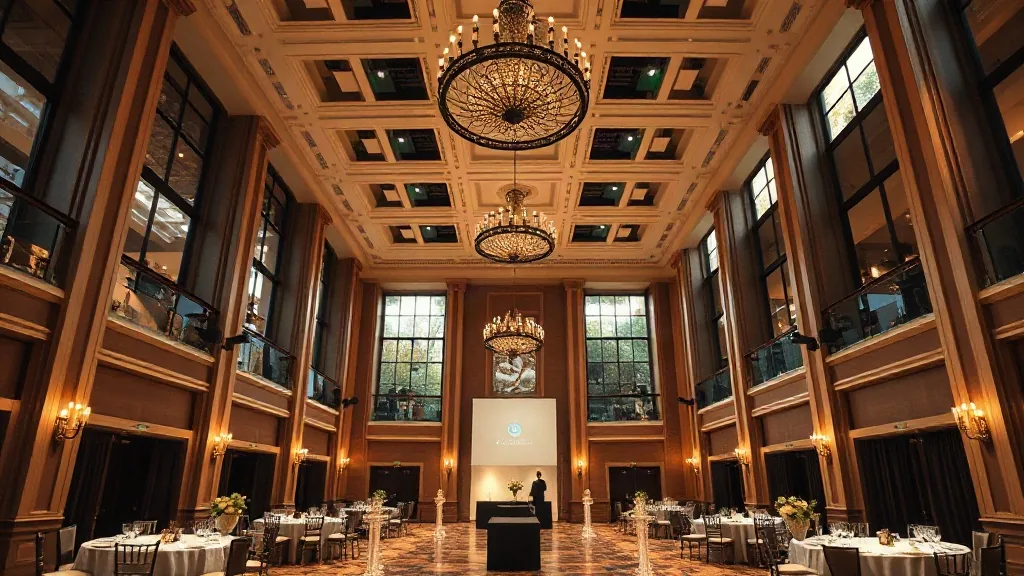
A venue sold me on “complimentary high-speed wifi throughout” and then watched my client’s product livestream drop three times in the opening keynote. The included wifi was a single shared circuit rated for hotel guests checking email, not for a 250-person conference pushing a 1080p stream and 250 phones all hitting the same access point. The stream fix cost me $2,400 in a same-day hardline order I should have booked six weeks earlier. Included wifi is not a network. It’s a marketing word.
I look at events through the money, and event internet is where planners save $2,000 on paper and lose $20,000 of credibility on stage. Let me walk through why house wifi fails, then exactly what to order so it doesn’t happen to you.
Why the included wifi buckles
House wifi at most venues is built for a background load. A hotel or resort sizes its network for guests streaming Netflix one room at a time, spread across the building. A conference dumps 300 devices into one ballroom at once, and they all associate with the same handful of access points. Wireless is a shared medium, so every device in that room is splitting the same airtime. Add a livestream, a registration app syncing, and 300 people posting photos, and the access points saturate.
The second failure is the uplink, meaning the pipe from the building to the internet. A venue might advertise 500 megabits, but that’s shared across the whole property, including the front desk, the other event in the next ballroom, and the back office. During a busy convention week, your slice of that pipe shrinks to a fraction, and there’s no wall showing you it happened until your stream stutters.
The third is that “wifi throughout” often means the access points are in the hallways, not the ballroom, because the ballroom was built before anyone needed coverage inside it. You get a strong signal in the pre-function space and a dead zone at the tech table. My colleague’s story about the wifi password the venue forgot is funny until it’s your general session.
What to actually order
For anything that matters, you order a hardline, meaning a dedicated wired internet drop run directly to your gear. A hardline is a physical ethernet cable from the venue’s network to your AV table, with dedicated bandwidth that nobody else touches. This is what your livestream, your production laptops, and your registration desk should run on. Wifi is for attendees. Hardline is for the show.
Order it by naming the bandwidth and the drop locations. A single 1080p livestream wants a dedicated 20 to 50 megabits up, symmetrical, not shared. I spec 100 megabits dedicated for a program with a stream plus production plus registration, and I put the number in the contract. A hardline drop from an in-house provider runs $300 to $1,500 depending on the venue and whether they gouge, and at a big convention center the internet order form is its own pricing sheet with per-drop and per-device fees that add up.
For attendee wifi at a real conference, you order a dedicated event network sized to your headcount, not the house wifi. That means the venue or an outside provider stands up access points for your room, rated for your device count, on your own bandwidth. Rule of thumb: figure two to three devices per attendee (laptop, phone, tablet) and size accordingly. A 300-person conference is planning for 600 to 900 connected devices, which is not a job for four hallway access points.
The questions that expose the real network
On the site visit I ask the venue’s in-house AV or IT four questions, and the answers tell me whether the wifi is real. What is the dedicated uplink for my event, in megabits, and is it shared? How many access points are in the actual meeting room, and what device count are they rated for? Can I order a hardline drop to the tech table, and what does it cost? Is there redundancy, meaning a second internet path if the primary goes down?
That last one matters more than planners think. A single internet circuit is a single point of failure, and when it drops mid-event you have no fix. The story of an internet outage during a hybrid event is the case for a backup, which brings me to the cellular option.
The backup: bonded cellular
For any livestream or hybrid program I cannot afford to lose, I add a cellular bonded modem as a backup path. A bonded cellular unit combines several carrier signals into one connection, and it fails over automatically if the hardline drops. Rental runs $200 to $600 for an event plus data, and it’s the cheapest insurance on the whole internet budget. When the building’s circuit dies, the stream rides cellular and the audience never knows.
The catch is that cellular depends on signal, and a basement ballroom or a thick-walled conference center may have poor carrier coverage inside. Test it on the site visit. Pull out your phone at the tech table location and check the bars on two carriers. If it’s one bar of a single carrier, bonded cellular won’t save you, and you’re back to demanding real redundancy from the venue. A big convention hall built with a lot of steel and concrete is exactly the kind of room where cellular dies at the center of the floor, so I test at the actual tech position, not by the window in the lobby where the signal always looks fine.
The budget conversation
Here’s how I frame it for the client. Attendee wifi is a nice-to-have and the house network might cover it for a small meeting. Production internet is a must-have and it goes on a hardline every single time there’s a stream, an app, or a payment terminal. The livestream and registration cannot ride the same wifi the attendees are hammering, full stop. When a client balks at a $1,200 internet line, I ask what the livestream is worth to the launch, and the number reframes itself.
Put the internet order in writing in the contract or the AV addendum, with bandwidth, drop count, and locations named. “Wifi included” in the sales proposal is not a spec. My longer breakdown of why complimentary wifi is a scam covers the fine print that lets venues advertise a network that can’t do the job.
Send me your program: are you streaming, how many attendees, and is there a registration app or a payment terminal in the room? Those three answers tell me your minimum internet order and whether you need a cellular backup. Give me the headcount and I’ll size the pipe.


