The capacity chart said 400 and the occupant load said 312
The fire marshal stopped counting at 312. The gap between the sales chart and the posted occupant load cost $11,400 and sent 88 attendees to overflow.
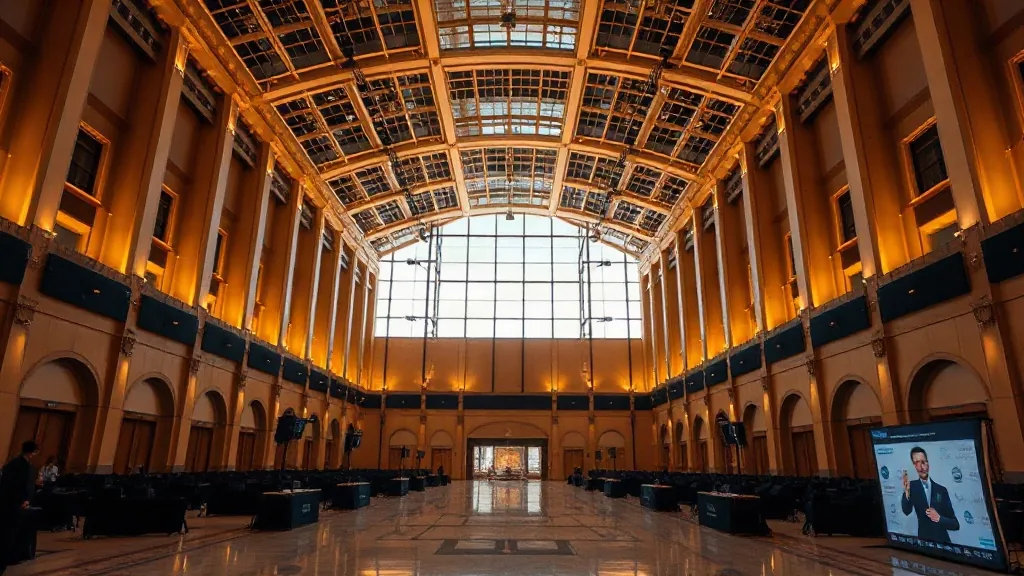
We were 40 minutes from doors on a Wednesday in May, and the fire marshal was standing in my general session room counting chairs. He got to 312 and stopped. Our confirmed headcount was 400, the badges were printed, and the the room had been sold to us as a 400-seat theatre. That mismatch cost the client $11,400 in a same-week room flip and put 88 people in an overflow room watching a monitor feed.
I spent eleven years on on the general services contractor side before I started producing shows. That background is why I now read the posted occupant load before I read the sales packet, and why I stopped trusting a capacity number that shows up on a glossy floor plan.
The sales chart and the occupant load are two different numbers
The number in the sales packet is a marketing number. It gets built by the venue’s sales team, often from a square-footage divisor, sometimes from a previous event’s setup, sometimes from a number that has been in the deck since 2016. For a theatre setup it might be 400. For a reception it might say 600. Nobody in that conversation is lying. They’re just not the person who owns the legal number.
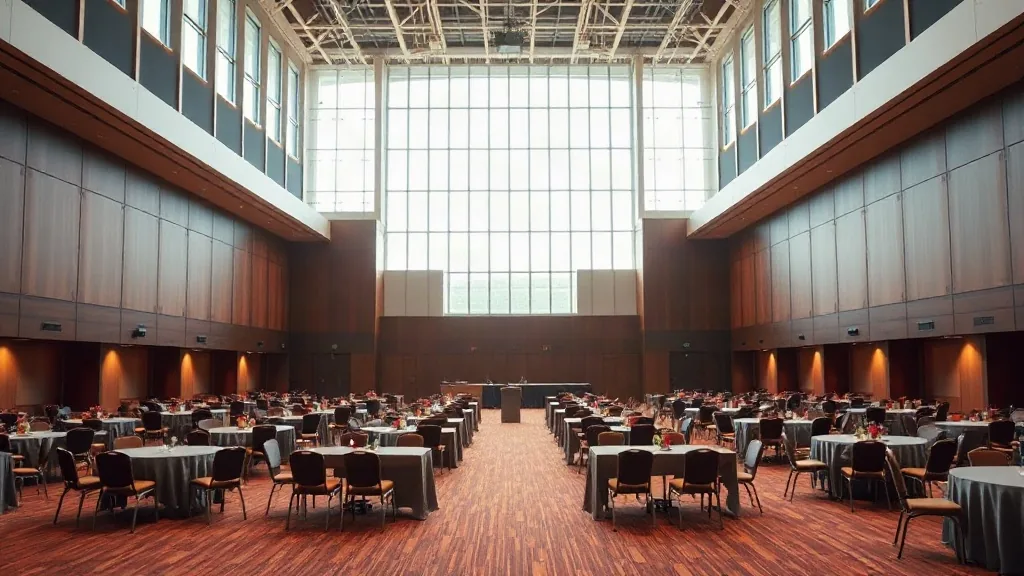
The certificate of occupancy classifies the building and what it may be used for. The number that governs your room is the occupant load, computed from egress width, the number of exits, the travel distance to those exits, and the use classification of the space, then posted on a placard near the main exit. It’s set by the local building department and it’s enforced by the fire marshal. When I worked GSC side, I watched a marshal walk a room in Chicago’s West Loop and order a registration desk moved 6 feet because it was pinching a 44-inch aisle down to 31.
Here’s the part that took me too long to learn: the occupant load is not static. It’s a ceiling, and the setup eats into it. The same warning applies to any of the convention centers with multiple halls and variable room configurations. The posted occupant load on the wall may be for the room as it sits empty. Add a stage, a riser, a buffet line, pipe and drape, or a production table, and the egress path changes.
I had always done it the easy way. I took the sales number, built the room to that number, and confirmed the headcount to the client. What made me look closer was a $2,300 change order for moving a buffet that a marshal said was blocking an exit. The buffet wasn’t blocking anything. It was 4 inches into a clearance zone. That was the day I started asking for the document instead of the chart.
Where each number actually comes from
The theatre figure is math on a floor plan. The occupant load is a legal determination by a building official who looked at exits, not tables. Those two people never talked to each other about your event. Check the hall count and the room list on a page like convention centers in State College, Pennsylvania before you assume one hall holds what the deck says.
What breaks, in what order, and when it stops being fixable
The failure runs in a sequence. First, sales quotes you the theatre number, usually in an email, usually with a floor plan attached. Second, you sign, and the contract references the room by name and the deposit schedule, not by an occupant load. Third, your floor plan gets submitted to the venue’s event services team, sometimes 30 days out, sometimes 10. Fourth, someone in operations looks at it, and if you’re lucky they flag it. If you’re not lucky, it goes to the fire marshal at the walkthrough, or worse, to an inspector during the event.
The point where it stops being fixable is the moment the chairs are set and the badges are printed. After that, every option is expensive. You split the room. You open an overflow. You cut the general session and run two of them, which means duplicating the AV and the speaker’s fee.
Watch three things in your own file. Does your contract name an occupant load or only a room? Does your floor plan show egress paths with dimensions, or just furniture? And has anyone other than sales confirmed the setup? If the answer to the last one is no, you’re carrying the risk on a number you don’t control.
This is where I concede something to the venues. Most of them are not trying to hide anything. Their salesperson genuinely does not know the occupant load for a given setup, because sales doesn’t run the building. The person who knows is the operations or engineering manager, the one who walks the room with the marshal. I’ve had venue sales reps pull the posted occupant load on request and get it right within an hour. Ask them nicely and they’ll do it. The problem is nobody asks, because the chart looks like an answer.
What the miss costs when nobody catches it
The hard cost is the room flip. Moving 400 chairs to 312, resetting the stage, re-running the AV, and adding an overflow room with a monitor and a tech. On a mid-size general session, that’s $8,000 to $15,000 in labor and equipment, plus whatever the venue charges in overtime. Turnover fees can compound this if your reset pushes into a second shift, and it’s worth understanding what a turnover fee actually covers before you assume it’s included.

The soft cost is worse. You have 88 people in an overflow room, and the CEO is one of them. The client remembers the overflow room, not the apology. And the relationship with the venue takes a hit, because from their side the room was sold correctly and you built to a number they never gave you in writing.
The bill lands regardless. Best case, a same-day reset and a slightly late start. Worst case, a shut session and a call from the client’s legal team.
For a smaller show, the same trap runs at a different scale. A 200-person dinner in a room sold as 220 leaves no room for a buffet and a bar, and you’re resetting 10 tables at 5pm. The planning for 40 people guide covers the small-room version.
How to ask for the posted occupant load and get it in writing
The fix is a sequence, and I do it before signature, not after.
First, ask for the posted occupant load per room. Not the sales chart. The posted load. It’s usually on a placard near the door. Request a photo of it. If they won’t send one, walk the room yourself on the site visit and read the placard.
Second, ask for it recalculated against your floor plan. Send your setup: stage location, buffet placement, registration desk, pipe and drape, riser, backline. Ask operations or engineering (not sales) to confirm the occupant load for that specific configuration in writing. Most venues will do this. They just need to be asked by someone who sounds like they’ll accept a smaller number.
Third, get the venue to sign off on the plan, not the headcount. The signature should say “approved per the attached floor plan dated X” with the config drawing attached. If a marshal shows up Wednesday, that piece of paper is worth more than any email. Nail the date on the plan so the approval can’t drift.
When the answer is no, or the number comes back lower than you need, settle for a written overflow plan: a second room, the AV package and the labor to run it. Get the cost quoted up front so the flip doesn’t hit your contingency on the day. If the venue won’t quote it, price it yourself and hold it in reserve.
That’s the whole thing. Ask for the posted load, ask for the plan-specific recalculation, and get the sign-off in writing, then build to the smaller number and hold the walk-up buffer inside it. So send me the headcount you’re planning to and the date you’re holding, and I’ll tell you which of the two numbers I’d build to.